e-Learning Course Storyboards
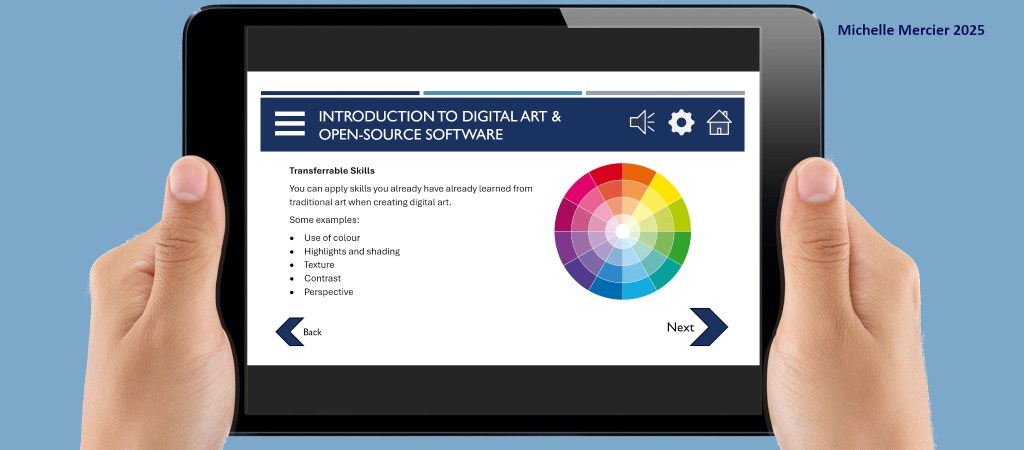
I chose to include these storyboards in my e-portfolio, because they showcase a wide variety of skills. In particular, they showcase pedagogy, storyboarding, layout, graphic design, technical writing, and communication skills.
This was also my first real opportunity to incorporate accessibility in an instructional design project. Right from the start, I considered and incorporated accessibility. I included a full accessibility statement in the accompanying design proposal (a separate document containing the storyboards’ appendices). You can read more about my research into accessibility on my blog (link at the end of this page).
Background
These storyboards outline the design specifications for an e-learning course lesson, titled “Introduction to Digital Art and Open Source Software”. This lesson would be the first in a four-lesson e-learning course titled “Introduction to Creating Digital Art”. The e-learning course is aimed at those who have some experience with traditional art and would like to learn to create art digitally.
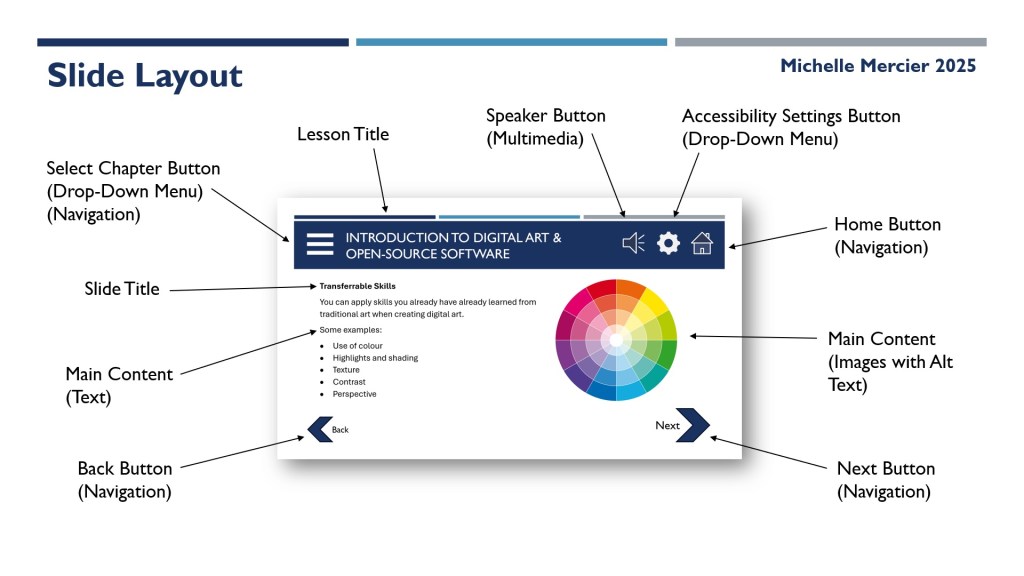
The proposal (a separate document containing the storyboards’ appendices) covers the proposed writing style, interface design, interactive features, and accessibility considerations for the proposed e-learning course.
The storyboards document outlines the layout, content, design specifications, colours, and navigation for the proposed e-learning course. You can download the storyboards document below.
Transferable Skills
- Communication: Communicating both the lesson content and the interactive UI (User Interface) navigation features
- Creativity: Choosing the right layout for each feature (for example: buttons and navigation)
- Critical Thinking: Sequencing the lesson plan
- Digital: MS PowerPoint, image editing software, and MS Word
- Problem Solving: Adjusting the storyboard layout to fit all the required information for each slide
Mock-Ups
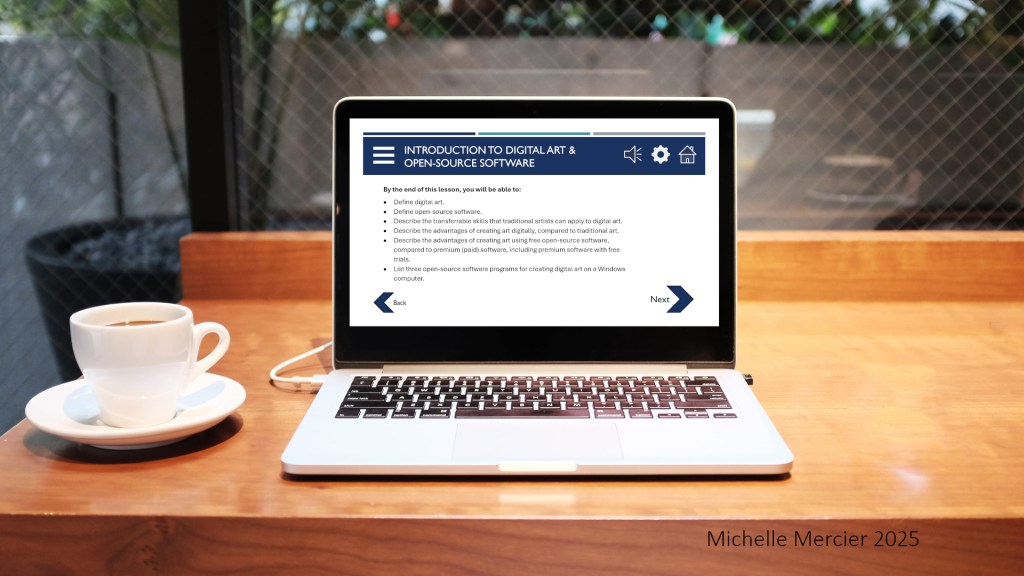
I used photo-editing software to create mock-ups of the design, showing how the e-learning course would look to end-users.
What I learned
I learned how to create a lesson overview, which shows all of the lesson screens, and how they will connect.
I learned how to create storyboards specifically for an e-learning course.
I learned a lot about accessibility statements, because I wrote one for the proposal. This helped inform the accessibility statement for my portfolio website. You can read more about my research into accessibility on my blog.
→

